
Short answer: peak output is a maintenance outcome rather than a purchase specification. A picosecond platform calibrated on the day it was installed drifts as the handpiece, the optical surfaces and the settings records accumulate real use, and the owners who keep their results consistent are the ones who run a service routine instead of waiting for a symptom.
Most owners learn the maintenance question the hard way: the machine still fires, the clients still book, and yet the settings that worked eighteen months ago now produce slower visible change. Nothing has failed in an obvious way, which is exactly why the drift goes unnoticed. A Pico Laser Tattoo Removal Machine is an optical instrument as much as an electrical one, and optical instruments respond to their consumable parts: the handpiece that takes the wear, the light path that carries the beam, and the calibration that keeps the delivered output matched to the number on the screen. This guide covers each of those in the order they degrade, and how to build a service routine that fits inside a working week.

What Peak Output Means in Daily Operation
Peak output is not a single number on a datasheet; it is the machine delivering, session after session, the output its settings documentation describes. The UltraPico configuration specifies a 350ps pulse duration and 1.67GW peak power, an energy range of 100–500mJ and a repetition rate of 1–10Hz — and every one of those figures assumes the handpiece, the light path and the calibration are within their defined condition. When they are not, the visible symptom appears at the client end: the operator raises the energy to compensate, the treatment takes longer, and the room’s repeatability quietly deteriorates. That is why maintenance belongs in the operating manual rather than the balance sheet. A service routine protects two things you cannot buy back — the consistency your clients judge you by, and the accuracy of the settings records your operator relies on when planning a course.
The Handpiece: The Part That Takes the Wear
The picosecond handpiece is where the machine meets the skin, and it absorbs the handling that comes with every session: cable flex, connector cycles, and the mechanical movement of the optics inside it. Wear in this component changes the beam before it ever leaves the machine, which is why the manufacturer’s service schedule treats handpieces and their internals as consumable items with a rated life rather than as permanent parts. The practical routine has three steps. Record each handpiece by identifier and log its session hours, because a diary is the only reliable odometer your machine has. Inspect the housing, cable and connector at every service point for the kind of damage a busy room produces. Then replace on the schedule rather than on the symptom, because a handpiece that has quietly passed its rated life does not announce itself — it simply delivers less than the settings promise, and the operator compensates without knowing why. Ask your supplier for the rated life, the replacement cost and the lead time for every wear item on the machine, and keep that list with the unit so reordering is a decision rather than a scramble.
Optics and the Light Path
Behind the handpiece sits the light path, and it rewards the same discipline for the same reason: contamination on an optical surface scatters energy instead of delivering it, so the treatment loses efficiency while the screen continues to display the commanded settings. The causes are ordinary and unglamorous — dust, residue from cooling media, fingerprints from a well-intentioned clean, and the gradual degradation that comes with age. The controls are equally ordinary: keep the treatment area and the machine’s surroundings clean, store handpieces in their cases rather than on a shelf, and follow the manufacturer’s cleaning guidance exactly, because an unapproved solvent can damage a coated surface that costs far more to replace than the cleaning product ever saved. The single most useful habit is to record what the machine is doing over time — session counts, settings used, and any observation the operator makes about how the tissue responds. A slow change in the light path is visible in that record weeks before it is obvious in the treatment room.

Calibration and Verification: A Schedule You Can Keep
Calibration is the bridge between the number the operator selects and the energy the client receives, and it is the item most often postponed because the machine appears to be working. Verification belongs on a fixed calendar rather than in the reaction list: at installation and commissioning, at the intervals the manufacturer’s service documentation specifies, whenever a handpiece or an optical component is replaced, and after any event that could have disturbed the machine — a move between rooms, a power incident, or a repair. Two habits make the schedule survivable. Put the dates in the same calendar the room uses for bookings, so a service visit is reserved rather than squeezed in. Keep a single record showing each verification, the delivered output measured against the commanded setting, and the action taken, because that record is what turns a maintenance programme into evidence — for your own quality control, for a warranty claim, and for any inspection that asks how you assure your equipment.
Settings Records and the Operator’s Role
The operator is the machine’s most sensitive instrument, and the maintenance programme should use that. A room that logs the settings used for each case, on the 18.5-inch color screen’s saved profiles and in a written record, accumulates a dataset no service contract can supply: which settings produced which observations on which ink and skin profile, and when the pattern started to change. Reviewed monthly, that record identifies drift early — a rising trend of energy values for the same case type is the classic signal that something in the light path or the handpiece has moved out of condition. It also protects the operator’s judgement from memory, which is generous in retrospect. Train the team to write down what they observe rather than only what they set, and make the review part of the room’s routine rather than a special project. The habit costs a few minutes per session and it is the difference between maintaining a machine and guessing about one.
Consumables, Spares and Service Windows
Maintenance planning is procurement planning with a longer horizon. Build a spare-parts list from the supplier’s service documentation — handpieces and their internals, the optical components the guidance identifies as replaceable, cooling-related service items, and the accessories the operator touches every day — and hold a shelf stock sized to your lead times rather than to your optimism. Then plan the service window: a machine under maintenance earns nothing, so the sensible room clusters service visits into quiet periods, books them around the diary rather than through it, and keeps a contingency for the booking that cannot move. The commercial lines to confirm with the supplier before you need them are the rated life of each wear item, the replacement cost, the lead time, the warranty terms and how a claim is actually raised — with the 2-year warranty and the FDA/RoHS/CE documentation file forming the baseline your maintenance records should reference. A room that knows these five answers runs maintenance as a scheduled cost; a room that does not runs it as an emergency.
The Maintenance Schedule at a Glance
| Item | What to check | Frequency basis |
|---|---|---|
| Handpiece and internals | Rated life, housing, cable, connector | Session hours plus manufacturer’s schedule |
| Optical surfaces | Cleanliness, coating condition, storage | Per service point and after any incident |
| Calibration | Delivered output against commanded setting | Fixed calendar and after component change |
| Settings records | Trend of settings used by case type | Monthly review |
| Spares and consumables | Stock against lead time | Quarterly, and before busy periods |
| Documentation file | Certificates, warranty, service log | Updated at every service visit |
أسئلة متكررة
1. How often does a pico laser machine need servicing?
The manufacturer’s service documentation sets the intervals, and they should be adjusted for how hard the machine works — session volume rather than calendar months is the honest driver. Put the dates in the booking calendar and treat them as fixed commitments rather than optional extras.
2. How do I know when a handpiece needs replacing?
Replace on the rated life the supplier documents, not on the appearance of a fault, because a handpiece past its service life quietly delivers less than the settings promise. Log session hours per handpiece so you always know where each one stands.
3. Can the machine be used while calibration is overdue?
It can be operated, but the delivered output may no longer match the commanded settings, which undermines both the treatment plan and the settings record the operator relies on. Treat an overdue calibration as a quality issue rather than a convenience question.
4. What should be in the maintenance record?
Dates of each service and verification, the measured output against the commanded setting, parts replaced with their identifiers, and any observation the operator recorded. That file supports warranty claims, quality control and any inspection of how you assure your equipment.
5. Does maintenance affect the warranty?
Warranty terms are set by the supplier, and documented servicing on the manufacturer’s schedule is the normal condition attached to them. Ask for the terms in writing, keep the records, and raise any issue through the route the supplier specifies rather than through local improvisation.
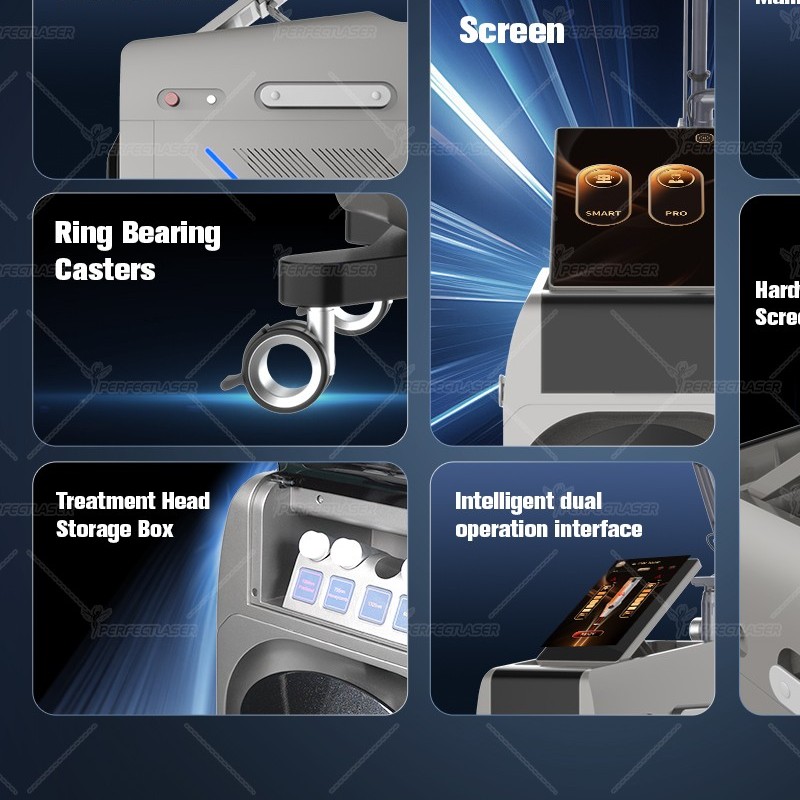
If you are building the service file for the first time, ask the الليزر المثالي team for the UltraPico service schedule, the rated life and cost of each wear item, and the settings guidance in one document — the Pico Laser Tattoo Removal Machine in your room then runs on a plan you can schedule, price and defend rather than on a symptom you notice later.
 English
  Arabic
  Chinese
  Dutch
Dutch  French
  German
  Italian
  Portuguese
  Russian
  Spanish