
Short answer: the best Machine d'enlèvement de tatouage laser Picosecond for a small studio is the one whose wavelengths match the ink you will actually treat, whose running costs fit a low-volume diary, and whose supplier still answers the phone in year two — not the one with the longest spec sheet. Budget and footprint matter; service matters more.
Small studios get sold big-clinic machines with big-clinic assumptions attached: two operators, nine-hour days, a service contract that assumes volume. Your room is different, and the machine that fits it is different too. This guide sorts the decision into the four filters that actually decide a small-studio purchase — wavelength coverage, power and footprint, running costs, and after-sales reality — then shows you how to match them to your budget. The goal is a machine that earns from your first handful of clients instead of impressing them from a brochure, and that starts with understanding which features you genuinely need.
Filter One: Wavelength Coverage vs the Ink You Will See
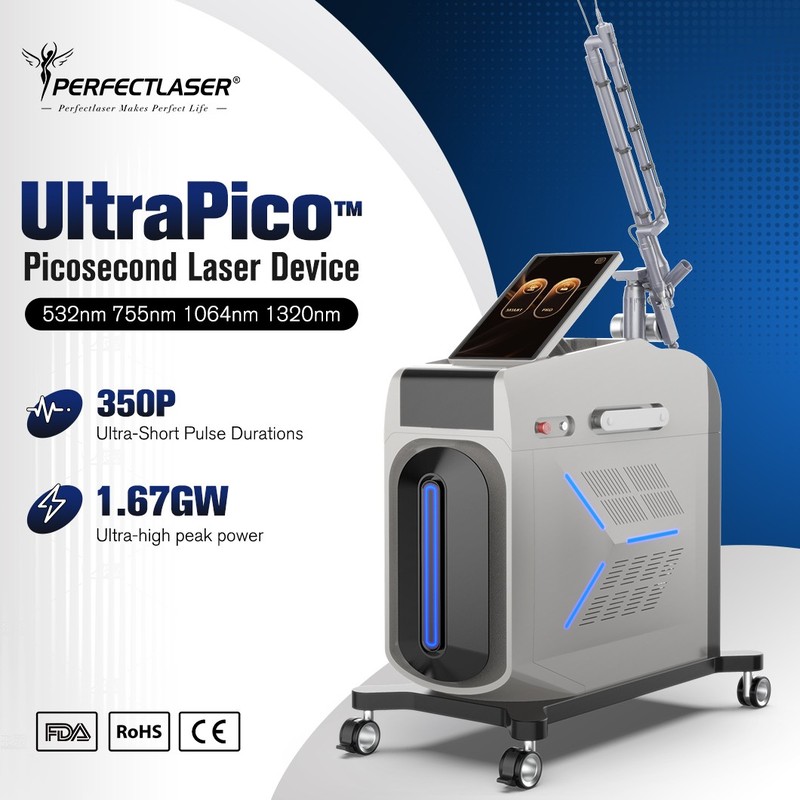
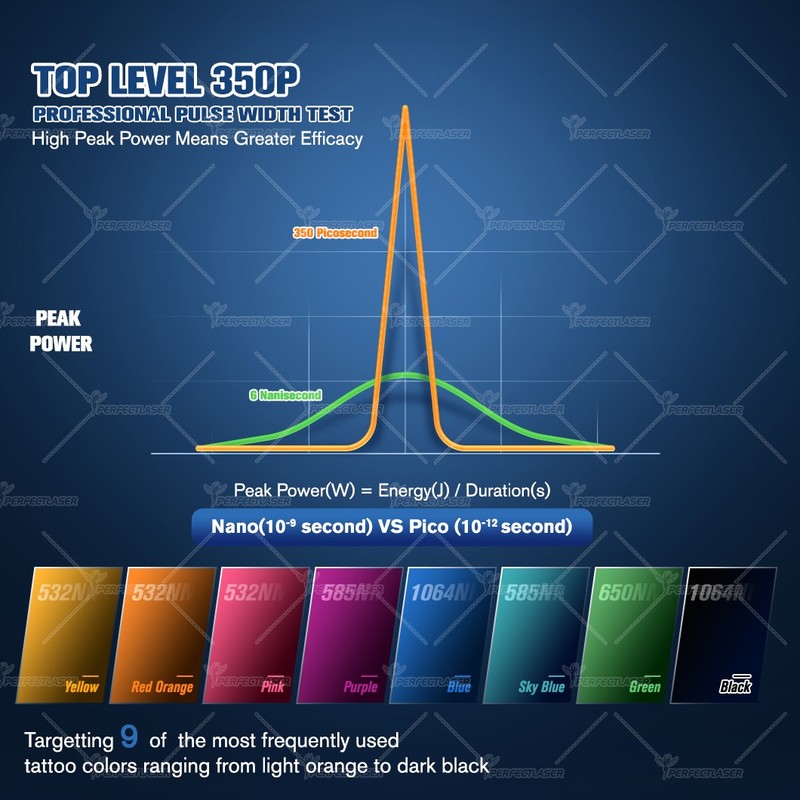
Every small studio starts with a case-mix question: what ink will walk through the door? Black and blue-black ink dominates most removal rooms, and it responds to shorter wavelengths; red, orange and other stubborn pigments need longer wavelengths, and yellow sits at the hard end on any platform. A single-wavelength machine treats the common cases and refers the rest; a dual-wavelength console keeps more of those referrals in-house. The honest advice for a small studio is to buy the wavelength coverage your local ink actually demands — a studio in a market full of old black-and-grey work can start leaner than one expecting multicolor cover-ups. Ask the supplier which wavelengths the exact model delivers, because “picosecond” alone tells you nothing about color coverage.
Filter Two: Power, Footprint and the Room You Have
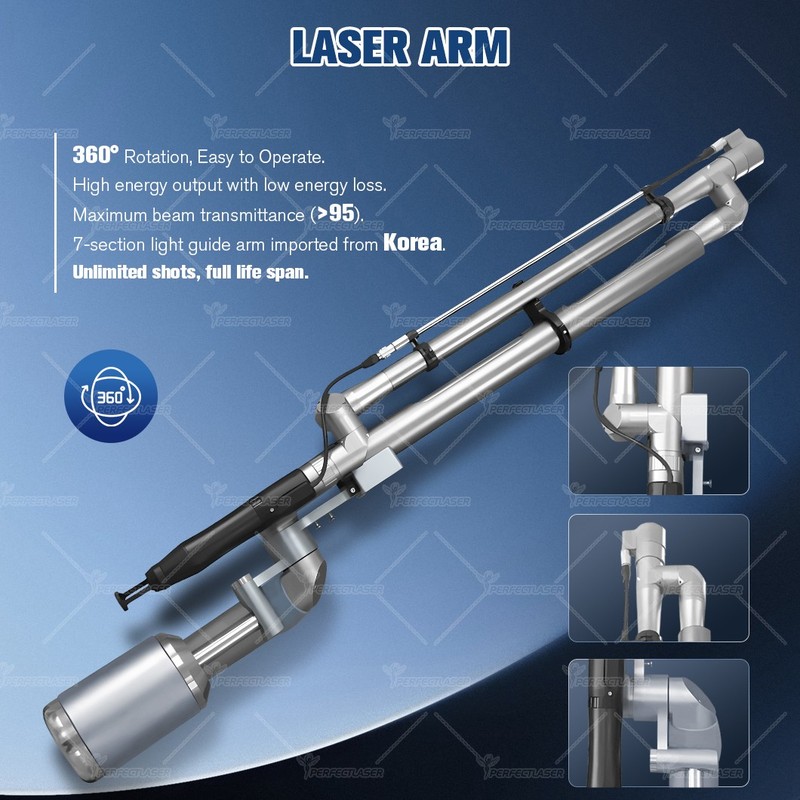
Spec-sheet power is marketing until it meets your ceiling outlet and your treatment room. Before comparing machines, answer four practical questions: what voltage does your room supply and does the machine match it, how much floor space does the unit need and can your room take it, what cooling does the design require — water-cooled units need their own consideration in small rooms — and is the handpiece comfortable enough for the sessions you will run? A machine that needs electrical work you did not budget for, or that cannot fit through the door of your treatment room, is not “powerful,” it is oversized. The spec that matters for a small studio is the spec that fits the room it will live in, and suppliers should answer the fit questions in writing before they quote.
Filter Three: Running Costs on a Small-Volume Diary
A small studio earns in sessions, and every session carries a cost that a low-volume diary feels quickly. The two numbers to extract from every quotation are the service life of the key components — the handpieces and any consumables — and their replacement cost and lead time. A machine whose parts cost more than a competitor’s and arrive in weeks can quietly turn a modest diary unprofitable, because you cannot amortize expensive spares over volume you do not have. Add operator training to the same calculation: a small studio usually has one operator, and the cost of that person’s learning curve is paid in full by the first months of bookings. Ask laser parfait or any shortlist supplier to state the consumable line and the training hours the same way — rating, cost, lead time — so the comparison stays honest.
Filter Four: After-Sales Reality, Not Brochure Promises
Small studios have no backup machine, which makes after-sales the filter that separates a good purchase from a regret. Ask the questions a one-machine room cannot afford to skip: what does the warranty cover and for how long, how are claims handled from your country, what is the spare-parts lead time, and can you reach a human who understands the machine when something goes wrong? A big-clinic buyer can tolerate a three-week parts delay; a small studio cannot, because every idle day is revenue and reputation. This is also where the supplier’s history matters — ask for references from other small studios running the same model, and check them. The cheapest machine with the slowest support is the most expensive machine you will ever own.
The Small-Studio Fit Table
| Decision point | What to check | Small-studio lean option |
|---|---|---|
| Longueurs d'onde | Match to the ink you will treat | Start single-wavelength if your cases are mostly dark ink |
| Power & footprint | Voltage, floor space, cooling | Match the machine to the room, not to the brochure |
| Running costs | Component life, replacement cost and lead time | Price the spares before you price the machine |
| Training | Hours, supervision, follow-up answers | Buy the training, not the poster |
| After-sales | Warranty, claims route, parts lead time | Check references from other small studios |
| Budget | Total cost, not sticker price | Factory-direct with a spare-parts shelf can work |
Read the table as a sequence, not a menu: the filters work in order, and each one removes machines before the next question costs you time. A studio that starts with budget and skips the filters usually buys twice; a studio that filters first usually buys once.
How a Small Studio Should Budget
Budgeting for a one-machine room means budgeting for the machine’s whole first year, not its invoice. The honest list includes the machine, freight and duties, installation and training, the spare components you should hold from day one, room preparation and insurance, and a working-capital buffer for the ramp — because a small studio’s bookings grow slowly and the machine does not care. Industry figures here are planning approximations that vary with your country and configuration; the factory quotation for the exact model you choose is what anchors the plan. Many small studios find that a factory-direct unit with a deliberately stocked spare-parts shelf fits their budget better than a distributor price that bundles services they do not need — and the cost-per-session model decides which is truly cheaper for you.
Reading Spec Sheets Like a Small-Studio Owner
Small studios compare machines on spec sheets they were never taught to read, and the marketing department knows it. The wavelength list tells you color coverage — read it against your case mix, not the headline. Pulse parameters tell you the technology class — but only the settings tables and training tell you whether your operator can apply them. Cooling design tells you how the machine behaves at the end of a long day — and in a one-operator room, that is every day. What the spec sheet does not tell you is the part that matters most for a small studio: how the machine behaves in month eight, when the novelty has worn off and the handpiece needs attention. That answer lives in the service history of the supplier and the references of other small studios, so read those with the same care you give the datasheet — the machine that fits your room and your support reality is the one that will still be earning in year three.
FAQ (questions fréquentes)
1. What is the best picosecond laser for a small studio?
The one matched to your ink mix, your room and your service reality — wavelength coverage for the cases you will see, a footprint and voltage that fit, running costs a small diary can absorb, and a supplier who answers the phone. The “best” spec sheet is worthless if the support is slow.
2. How many wavelengths do I need to start?
Start with the coverage your local ink demands: if most cases are dark black-and-grey work, a single-wavelength machine can launch the business, while multicolor and cover-up markets justify a dual-wavelength console. You can also buy lean and refer the hard cases until volume justifies the upgrade.
3. What does “power” really mean on a picosecond laser?
It means little without the settings education behind it. Effective treatment depends on wavelength selection, pulse parameters and settings matched to ink and skin — power headlines without documented settings tables and training are marketing numbers wearing an engineer’s coat.
4. Can a small studio afford a picosecond machine?
Yes, when the whole first-year cost — machine, freight, duties, training, spares and working capital — fits the realistic revenue model. Factory-direct machines bring the entry price down; the discipline is pricing the running costs before celebrating the sticker.
5. Should I buy the cheapest machine I can find?
Only if the cheapest machine also has the service life, spares pricing and support your diary can survive. In a one-machine room, an idle week costs more than the difference between two quotes — price the total cost of ownership, not the invoice.
Ready to match the machine to your room? Send Perfectlaser your treatment-room details — floor space, voltage and the ink mix you expect — and the sales team will return a configuration recommendation and itemized quotation for the Picosecond Laser Tattoo Removal Machine range that actually fits a small studio, with running costs stated line by line. Related: how much a pico machine costs, and session ranges by size and ink.
 English
  Arabic
  Chinese
  Dutch
Dutch  French
  German
  Italian
  Portuguese
  Russian
  Spanish